
Even if your website has great content, it won’t matter much if Google can’t find or understand your pages. That’s where technical SEO comes in.
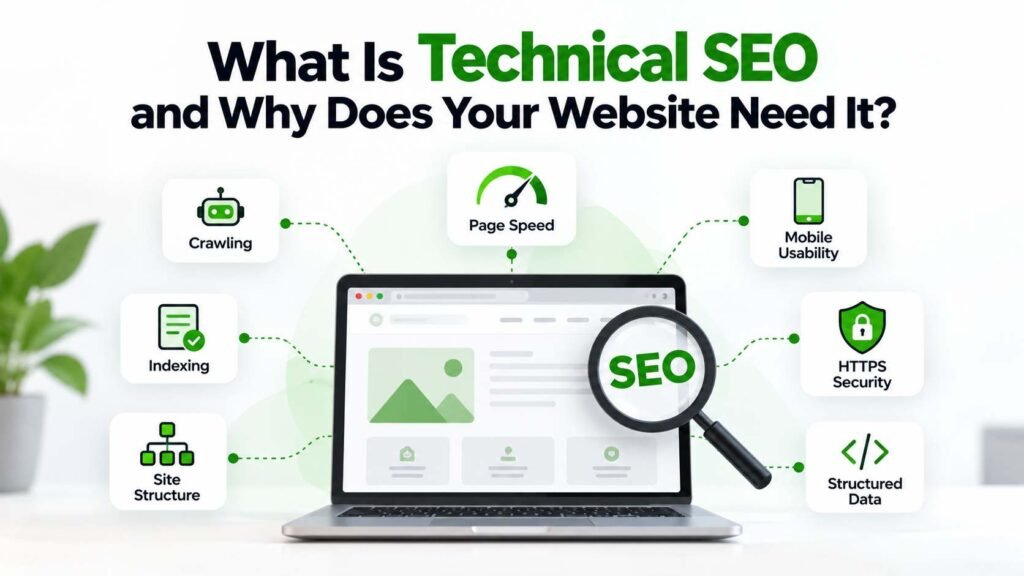
Technical SEO is all about the behind-the-scenes stuff that helps search engines access and process your website. We’re talking about things like crawling, indexing, site structure, speed, mobile usability, redirects, canonical URLs, structured data, sitemaps, and security.
It’s not about stuffing more keywords. It’s about building a solid foundation so both Google and your users can actually reach the content that matters.
What Is Technical SEO And How Does It Work?
Technical SEO means fixing the technical side of your website so Google can actually find, crawl, and index your content properly.
Think of your website like a building. Content is what people come for, but if the doors are locked or the hallways are confusing, no one gets to see it.
Technical SEO is about fixing those basics so everything works smoothly.
1. Crawling And Indexing
Search engines use automated systems to discover and process web pages. If important pages are blocked, inaccessible, incorrectly configured, or difficult to discover, they may not be handled as intended.
A technical SEO review typically checks:
- Whether important pages can be crawled
- Whether valuable pages are indexable
- Whether accidental noindex directives exist
- Whether robots.txt is configured appropriately
- Whether internal links help discovery
- Whether XML sitemaps contain useful URLs
- Whether server errors are affecting important pages
Google recommends using tools such as Search Console and URL Inspection to understand how Google accesses and processes individual URLs.
2. Website Architecture
A logical site structure makes navigation easier for users and helps search engines understand how pages relate to one another.
For example, an agency website might organize its structure around:
Home → Services → SEO → Technical SEO → Blog
A good site structure also makes internal linking easier. Don’t hide your important pages five clicks deep unless there’s a real reason.
3. XML Sitemaps
An XML sitemap provides search engines with a list of URLs that you want them to discover and process.
A sitemap won’t force Google to index every page, but it helps search engines find your key pages-especially if your site is big or changes often.
Google recommends submitting sitemaps through Search Console and keeping them aligned with the URLs you want Google to crawl.
Why Does Technical SEO Matter For Website Performance?
Actually, technical SEO really matters when you look at what happens after someone clicks your site in Google.
You might rank okay, but if your site is slow or hard to use on mobile, you’ll lose leads and customers anyway.
4. Page Speed And Core Web Vitals
Website performance affects how people experience a page.
Google’s current page-experience guidance highlights Core Web Vitals, secure delivery, mobile usability, and other usability considerations. Google also makes clear that good Core Web Vitals scores do not guarantee top rankings.
The current Core Web Vitals focus includes:
- Largest Contentful Paint (LCP): Loading performance
- Interaction to Next Paint (INP): Responsiveness
- Cumulative Layout Shift (CLS): Visual stability
So, don’t just chase a single speed score. Look at the bigger picture.
Focus on things like compressing big images, cutting out extra scripts, fixing caching, checking third-party tools, and making sure your server isn’t slowing things down.
5. Mobile Usability
A website should work properly across different screen sizes.
Mobile users should be able to:
- Read content without excessive zooming
- Navigate menus easily
- Tap buttons comfortably
- Complete forms
- Access important information
- Use interactive elements without frustration
If you’re a local business, mobile usability is even more important. Most people find you on their phones.
6. HTTPS And Website Security
HTTPS encrypts the connection between the user’s browser and the website. It is now a basic expectation for modern websites.
Security issues can also affect user trust. Visitors are less likely to submit enquiries or payment information when their browser warns them that a connection is insecure.
So, always check that your site uses HTTPS everywhere and doesn’t mix secure and non-secure URLs.
Which Technical SEO Elements Should You Check?
A proper technical audit covers all the key areas, not just one metric.
7. Canonical URLs And Duplicate Content
Websites can sometimes contain multiple URLs that display identical or very similar content.
For example, tracking parameters, URL variations, filters, or duplicate page versions can create multiple addresses for similar content.
Canonical tags can help indicate the preferred version of a page.
However, canonicalization should be implemented carefully. It is not simply a way to force Google to rank whichever URL a site owner prefers.
8. Redirects And Broken Links
Websites change over time. Pages are deleted, URLs are renamed, and websites are redesigned.
If you don’t handle old URLs properly, users hit broken pages and Google gets confused about your site structure.
A technical audit should identify:
- Broken internal links
- Incorrect redirects
- Redirect chains
- Redirect loops
- Outdated URLs
- 404 pages
- Important pages returning server errors
If you move a page, set up a proper server-side redirect so both users and Google end up in the right place.
9. Structured Data
Structured data gives search engines additional information about the content of a page.
Depending on the page type, structured data can describe information such as:
- Organizations
- Products
- Articles
- Local businesses
- Events
- Reviews
- Courses
Google states that structured data can help it understand page content and may make eligible pages suitable for certain enhanced search features. However, adding structured data does not guarantee that a rich result will appear.
Make sure your structured data matches what’s actually on the page and follows Google’s rules.
10. JavaScript And Rendering
Modern websites frequently use JavaScript for menus, filters, forms, animations, and dynamic content.
That functionality can create technical SEO challenges when important content or links depend heavily on client-side rendering.
When you audit, check if Google can see your important content and if JavaScript is causing any issues with crawling or rendering.
This is especially relevant for large websites, e-commerce platforms, web applications, and heavily customized websites.
How Can Technical SEO Improve Your SEO Strategy?
What Is Technical SEO and Why Does Your Website Need It? is not just a question for developers. Technical decisions can directly affect the effectiveness of broader SEO work.
You could spend weeks on keyword research and content, but if key pages are blocked from indexing, all that effort goes to waste.
Same thing if you redesign your site and forget redirects-your rankings and user journeys can take a hit.
Technical SEO is the foundation. Without it, your content and authority-building won’t get you far.
11. Technical SEO And Content SEO Work Together
Content SEO focuses heavily on relevance, search intent, quality, topical coverage, and usefulness.
Technical SEO focuses on whether the website can efficiently deliver that content to users and search engines.
You need both.
A technically solid site with weak content won’t rank. Great content on a broken site won’t get seen. Simple as that.
12. Technical SEO And Local SEO
Local businesses also benefit from a technically sound website.
Make sure you have clear location pages, good internal links, mobile-friendly design, structured business info, crawlable content, and fast load times. All of this helps with local search.
For businesses investing in SEO services in Hyderabad, technical SEO should be considered alongside local optimization, content, keyword research, and Google Business Profile activity.
What Are The Common Technical SEO Mistakes?
Understanding What Is Technical SEO and Why Does Your Website Need It? also means recognizing problems that frequently appear during audits.
Accidental Noindex Tags
A page can unintentionally contain a noindex directive, preventing it from appearing in search results.
Incorrect Robots.txt Rules
A robots.txt file can unintentionally restrict access to resources or URLs that search engines need to process.
Poor Internal Linking
Important pages with very few internal links can become harder for users and crawlers to discover.
Slow Pages
Large images, unnecessary scripts, inefficient code, and weak server performance can contribute to poor loading experiences.
Duplicate URLs
Multiple URL versions can create unnecessary crawling and indexing complexity.
Redirect Problems
Incorrect redirects can lead to broken journeys, redirect chains, or irrelevant destinations.
Ignoring Mobile Experience
A desktop website that works well but performs poorly on smartphones can create a frustrating customer experience.
Don’t just follow every technical tip you read online. Focus on what actually impacts crawlability, usability, conversions, and your most important pages.
How Often Should You Perform A Technical SEO Audit?
There’s no one-size-fits-all schedule for technical audits.
A small, stable business website may need a formal technical review periodically, while a large e-commerce website with thousands of URLs may require much more frequent monitoring.
A technical review is particularly useful after:
- Website redesigns
- Domain migrations
- CMS changes
- Major URL changes
- New international sections
- Large content launches
- Hosting changes
- Major JavaScript updates
Search Console should also be monitored regularly for indexing and performance issues.
Don’t just make a technical report and move on. Technical SEO is ongoing-find issues, fix them, and keep checking.
Conclusion
A website isn’t just about how it looks or what it says. The technical setup behind the scenes decides if people and Google can actually use it.
At its core, technical SEO just makes your site easier to crawl, use, and maintain.
From indexing and sitemaps to redirects, canonical URLs, mobile usability, Core Web Vitals, structured data, and security, each element contributes to the overall health of a website.
Don’t treat technical SEO like a one-time checklist. Sites change all the time, and new issues pop up after every update or redesign.
A regular, priority-based approach can help businesses identify problems before they become larger obstacles.
If your site has ranking drops, indexing issues, slow load times, or broken links,
Reach out today. We’ll help you spot technical SEO gaps and build a stronger, search-friendly site.
FAQs
1. What Is Technical SEO And Why Does Your Website Need It For Google Rankings?
Technical SEO makes sure your key pages can be found, crawled, and used by Google. It helps with visibility, but it’s not a magic bullet for rankings.
2. What Is Technical SEO And Why Does Your Website Need It For A New Website?
A new website needs a solid technical base so Google can find your pages, understand your structure, and process your content easily.
3. What Is Technical SEO And Why Does Your Website Need It For Website Speed?
Technical SEO covers things like Core Web Vitals, page speed, mobile usability, image optimization, and cutting out scripts that slow down your site.
4. What Is Technical SEO And Why Does Your Website Need It During A Redesign?
What Is Technical SEO and Why Does Your Website Need It? During a redesign, it helps protect important URLs, redirects, internal links, indexing signals, mobile usability, and other technical elements that can be affected by structural changes.
5. What Is Technical SEO And Why Does Your Website Need It For Long-Term Growth?
What Is Technical SEO and A well-maintained technical setup gives you a solid base for ongoing content, SEO, and growth as your site scales.