
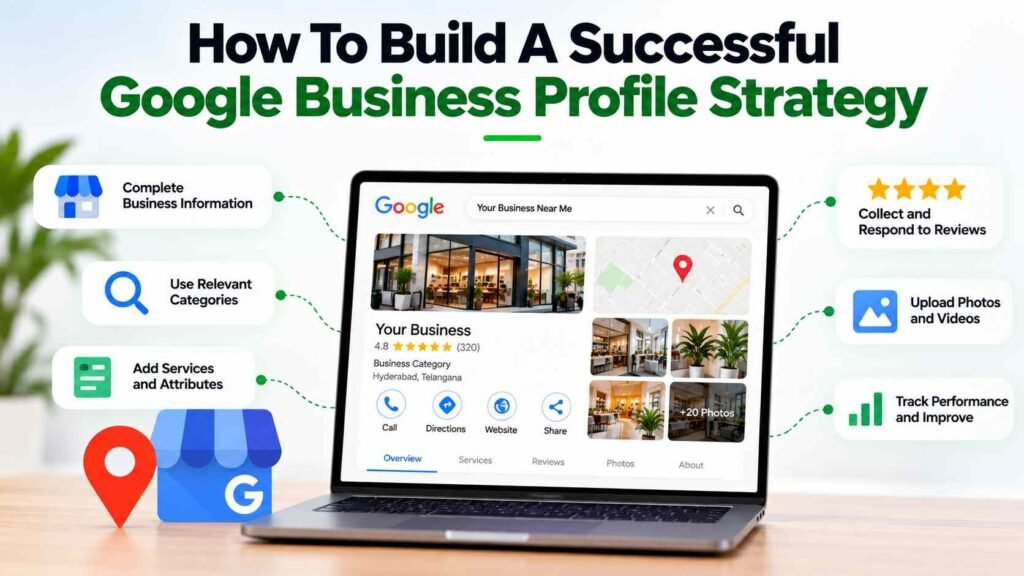
Just having a Google Business Profile isn’t enough. If you want it to actually bring in leads, you need to keep your info accurate, pick the right categories, get real reviews, add useful photos, and track what customers do. That’s what makes the profile work for your business.
Actually, most people find local businesses through Google Search or Maps. They check your hours, compare you with others, read reviews, visit your website, call you, or get directions-all before they even talk to you.
You can’t pay Google to rank higher in local search. It’s all about relevance, distance, and how well-known your business is. So, focus on making your profile accurate and genuinely useful instead of trying to game the system.
Don’t treat your Business Profile as a standalone thing. Connect it with your website, reviews, local content, and your overall SEO. Everything should work together.
Why Is A Google Business Profile Strategy Important For Local Businesses?
The way people discover local businesses has changed. Someone looking for a service may not visit a company’s website first. They might search on Google, see a local result, compare ratings, check photographs, and contact the business directly.
So, building a real Google Business Profile strategy is more than just filling out a form. It’s about how people actually decide to contact you.
A well-managed profile can help customers quickly understand:
- What the business offers
- Where it operates
- When it is open
- How customers can contact it
- What products or services are available
- What previous customers think
- What the business actually looks like
Google recommends keeping business information complete and accurate, responding to reviews, and adding relevant photos and videos.
For example, a restaurant may need attractive food and interior photographs, while a hospital may need clear information about departments and facilities. A digital marketing services may need service information, office photographs, and evidence of its expertise.
Your profile should match how customers actually make decisions. If it doesn’t answer their questions, you’re missing out on leads.
How Should You Optimize Your Google Business Profile?
The foundation of How To Build A Successful Google Business Profile Strategy is accuracy. Before worrying about advanced optimization, make sure the profile represents the actual business correctly.
1. Verify And Complete The Profile
Verifying your profile gives you control over what shows up on Google. Fill out everything-address, hours, category, and any details that matter for your customers.
Review:
- Business name
- Primary category
- Additional relevant categories
- Address
- Service area, where applicable
- Phone number
- Website
- Business hours
- Special hours
- Services
- Attributes
- Business description
Avoid adding unnecessary keywords to the business name. Google’s guidelines state that the business name should reflect the real-world name used by the business, while details such as location, hours, and category belong in their respective fields.
2. Choose The Right Primary Category
Your primary category helps Google understand what the business primarily does.
Don’t pick a category just because it has a keyword you like. If it doesn’t fit your business, it’ll only confuse people and hurt your results.
Start with the core service or business type, then add additional categories only when they genuinely describe the business.
3. Write A Useful Business Description
The description should quickly explain:
- What the business does
- Who it serves
- Main products or services
- What makes the business relevant
- Where appropriate, its experience or specialization
Don’t stuff your description with keywords. Just explain what you do and why it matters. Google wants real info, not keyword spam.
4. Add Relevant Services And Attributes
Services and attributes can answer customer questions before someone contacts the business.
For example:
Healthcare: specialties, consultations, diagnostic services
Restaurant: dining options, seating, cuisine
Hotel: amenities, facilities, services
Digital agency: SEO, PPC, social media, website development
The goal isn’t to make your profile longer. It’s to make it more useful for real customers. If you want more online visibility, connect your Google Business Profile with your website SEO. Both should support each other.
How Do Reviews And Visual Content Strengthen Your Profile?
A good profile isn’t just about having the right info. People want to see that your business is real, active, and actually solves their problems.
5. Build A Genuine Review Process
Reviews are an important part of local reputation. Google says prominence can be influenced by information such as links and reviews, and that more reviews and positive ratings can help a business’s local ranking.
Get reviews from real customers. That’s the only way reviews actually help your business in the long run.
A practical process is:
- Deliver the service.
- Ask genuine customers for feedback.
- Make it easy for them to leave a review.
- Respond professionally.
- Identify recurring issues.
- Improve the customer experience.
Don’t buy reviews or ask for fake feedback. That stuff always backfires. Focus on building real trust, not just looking popular for a week.
6. Respond To Customer Reviews
Review responses are an opportunity to demonstrate that the business pays attention.
For positive reviews, acknowledge the customer’s experience without using the same generic sentence every time.
For negative reviews:
- Stay professional.
- Avoid arguments.
- Acknowledge the concern.
- Offer an appropriate next step.
- Take detailed conversations offline when necessary.
Your replies should sound like a real person, not a bot. People notice the difference.
7. Upload Authentic Photos And Videos
Visual content can help prospective customers understand the business before they visit or contact it.
Depending on the business, useful photographs may include:
- Exterior
- Interior
- Team
- Products
- Services
- Equipment
- Facilities
- Work environment
- Customer-facing areas
Google recommends clear, well-lit images that accurately represent the business and says photos should not have significant alterations or excessive filters.
Use real photos of your business, not stock images. People can tell the difference, and it builds trust.
8. Keep The Profile Active And Relevant
Don’t just set up your profile and forget it. Check it regularly and keep it updated.
Check for:
- Changed business hours
- New services
- Updated photographs
- Seasonal changes
- Customer questions
- Review responses
- Incorrect information
- New business updates
Only update your profile when it’s actually useful. Don’t post just to look busy.
How Can Your Website And Local SEO Support Your Profile?
One of the biggest mistakes businesses make is treating their Business Profile and website as completely separate marketing assets.
A strong Google Business Profile Strategy should complement the business website.
9. Keep Business Information Consistent
Check your core business information across:
- Website
- Google Business Profile
- Social profiles
- Relevant directories
- Industry websites
- Business associations
Pay particular attention to the business name, address, phone number, website, and operating hours.
If your info isn’t consistent everywhere, customers get confused and you lose trust. It also makes your life harder when you need to update things.
10. Create Strong Local Landing Pages
If you serve different locations, make sure your website actually explains what you offer in each place. Don’t just list city names.
For example, a Hyderabad business could have useful pages covering:
- Service + Hyderabad
- Service + relevant locality
- Industry-specific services
- Location-specific customer needs
However, avoid producing dozens of pages that are nearly identical except for the location name. Each page should provide genuine value.
If you want to grow your online presence, bring your local SEO, content, ads, social media, and website together into one plan. That’s how you get real results.
11. Add Appropriate Local Business Structured Data
Structured data can help Google understand business information on your website. Google recommends using the most specific LocalBusiness subtype applicable to the business and validating structured data with the Rich Results Test.
Depending on the business, relevant information can include:
- Business name
- Address
- Phone number
- Opening hours
- URL
- Geographic information
- Departments
- Other applicable properties
Structured data won’t magically boost your rankings. It just helps Google understand your site better.
12. Connect Your Content Strategy With Local Intent
Your website content can support local discovery by answering questions customers actually ask.
Examples include:
- What should customers consider before choosing a service provider?
- How much does a particular service usually involve?
- What should first-time customers expect?
- Which services are available?
- What areas does the business serve?
- How can customers prepare before an appointment?
This way, your website and Business Profile actually work together to answer real customer questions.
For a business that wants to strengthen its content ecosystem, content marketing services can support topic planning, SEO content, and customer-focused communication.
How Should You Measure Google Business Profile Performance?
The final part of How To Build A Successful Google Business Profile Strategy is measurement.
If you don’t measure, you’re just guessing. Sometimes a profile gets lots of views but no real enquiries. Other times, fewer views mean more calls. You need to know what actually drives business.
Google provides Business Profile performance information that can show how customers discover a profile through Search and Maps and what actions they take. Depending on the profile and available features, performance data can include interactions such as views, clicks, calls, directions, bookings, and other actions.
Track metrics such as:
Profile Visibility
Monitor changes in profile views and discovery patterns over time.
Customer Actions
Look at:
- Phone calls
- Website clicks
- Direction requests
- Bookings
- Other available interactions
Reviews
Track:
- Number of genuine reviews
- Rating trends
- Response activity
- Recurring customer feedback
Website Performance
Measure:
- Local organic traffic
- Service-page traffic
- Contact-form submissions
- Calls
- Qualified leads
Business Outcomes
The only metrics that matter are the ones that tie back to real business-like calls, bookings, or leads.
For example, a healthcare business might measure appointment enquiries, while a restaurant could measure calls and direction requests. A B2B company might focus more heavily on website visits and qualified enquiries.
Every business is different, so don’t chase one magic number. Focus on what actually moves the needle for you.
What Common Google Business Profile Mistakes Should You Avoid?
Trying to take shortcuts with your profile usually backfires.
Common mistakes include:
- Keyword stuffing the business name
- Choosing irrelevant categories
- Using fake reviews
- Uploading misleading photographs
- Leaving outdated business hours
- Ignoring customer reviews
- Creating duplicate profiles
- Publishing irrelevant content
- Using inaccurate business information
- Creating low-value location pages
- Tracking rankings without measuring enquiries
- Expecting immediate results
Google’s business representation guidelines specifically require businesses to represent themselves accurately and use the fewest appropriate categories needed to describe the core business.
A profile that actually works is built on accuracy, relevance, good customer experience, and regular tracking.
Ready To Strengthen Your Google Business Presence?
Your Google Business Profile should be part of your bigger digital strategy, not something you set up once and ignore.
Contact us today we help you connect your Google Business Profile with your local SEO, content, website, reputation, and lead generation. Everything should work together for real growth.
FAQs
1. What Is The First Step In How To Build A Successful Google Business Profile Strategy?
The first step in How To Build A Successful Google Business Profile Strategy is verifying the profile and making sure the business name, category, address, service area, phone number, website, hours, and other important information are accurate.
2. How Important Are Reviews In How To Build A Successful Google Business Profile Strategy?
Reviews are an important part of How To Build A Successful Google Business Profile Strategy because they influence customer trust and can contribute to local prominence. Businesses should focus on genuine customer feedback rather than artificial review generation.
3. Should Businesses Add Keywords To Their Google Business Profile Name?
A good How To Build A Successful Google Business Profile Strategy should not involve adding unnecessary keywords to the business name. Google requires the profile name to accurately represent the real-world business name.
4. How Often Should Businesses Update Their Profile As Part Of How To Build A Successful Google Business Profile Strategy?
As part of How To Build A Successful Google Business Profile Strategy, businesses should review their profile regularly and update information whenever services, hours, contact details, photographs, or other important business information changes.
5. How Do You Measure How To Build A Successful Google Business Profile Strategy?
Measuring How To Build A Successful Google Business Profile Strategy involves tracking profile visibility, calls, website clicks, direction requests, reviews, website conversions, and qualified enquiries rather than relying only on keyword rankings. Google provides Business Profile performance information to help businesses understand customer discovery and actions.